Nikon LS-2000 on Windows 11
Using an old Nikon LS-2000 SCSI film scanner on Windows 11 with Nikon Scan 3.1.2
Film scanning is expensive (around €13 for an already-developed 36 shots roll of film...). So I recently bought an old and obsolete film scanner that uses SCSI for connectivity in order to get rid of this extra fee I need to pay for every film shot I take. It only cost around €150 and came with a PCIe SCSI board. This was perfect, as I don't have any computer in my house that's old enough to have a built-in port for the scanner!
The PCIe adapter board has an LSI Logic LSI20320IE chip. I put it in my computer and hit my first roadblock: Windows 11 did not recognize it and no drivers could be auto-installed. Luckily, mega-corp Broadcom acquired LSI Logic in 2014 and (surprisingly) still keeps all the old drivers on their support website. I downloaded and installed some relatively recent driver (made for Vista) available here: LSIMPT_SCSI_WinVista_1-28-03.zip and the board instantly appeared in Device Manager.
After this, there was still the question of what software I should use. VueScan probably would work out of the box as folks have already reported, however there are also some disadvantages to VueScan:
- it costs money;
- it does't include digital ICE to improve imperfect colour negatives;
- it doesn't seem to be that user friendly or fast.
I decided to go for the more than 20 years-old Nikon software. I grabbed a copy from the Nikon website and installed it. Enabling Windows XP compatibility mode makes it launch, however it couldn't find the scanner. :(
later note: software downloads for obsolete products seem to have been purged from the Nikon website since writing this. Here is my local copy nscan312en.zip, or you can also use an Internet Archive link.
Trying to get Nikon Scan 3.1.2 to work directly on modern Windows seems impossible - folks online generally either limit themselves to VueScan or run it on older Windows versions under a VM, neither of which I particularly like. I decided to dig a bit deeper.
The issue with the software is not that it is incompatible by itself: Windows is amazingly backwards-compatible, and as I've seen the tool itself can be installed and opened just fine. However, it was coded against the ASPI library - Advanced SCSI Programming Interface - support for which was only bundled in the Windows 95 to ME era and available as separate install for XP at the latest (it not being bundled with the OS is also why Nikon mentions on the software website that "Nikon cannot offer support for users who experience issues with ASPI on Windows 2000/ XP"). What we need is an x86 ASPI layer that can run on modern systems.
Many hours spent searching the Internet later, I suddenly struck gold on a thread on the Gearspace.com forum where people were trying to get SCSI MIDI stuff working. In 2020 they uncovered these ASPI implementations from Japanese PCI board manufacturer RATOC Systems that work on newer Windows!
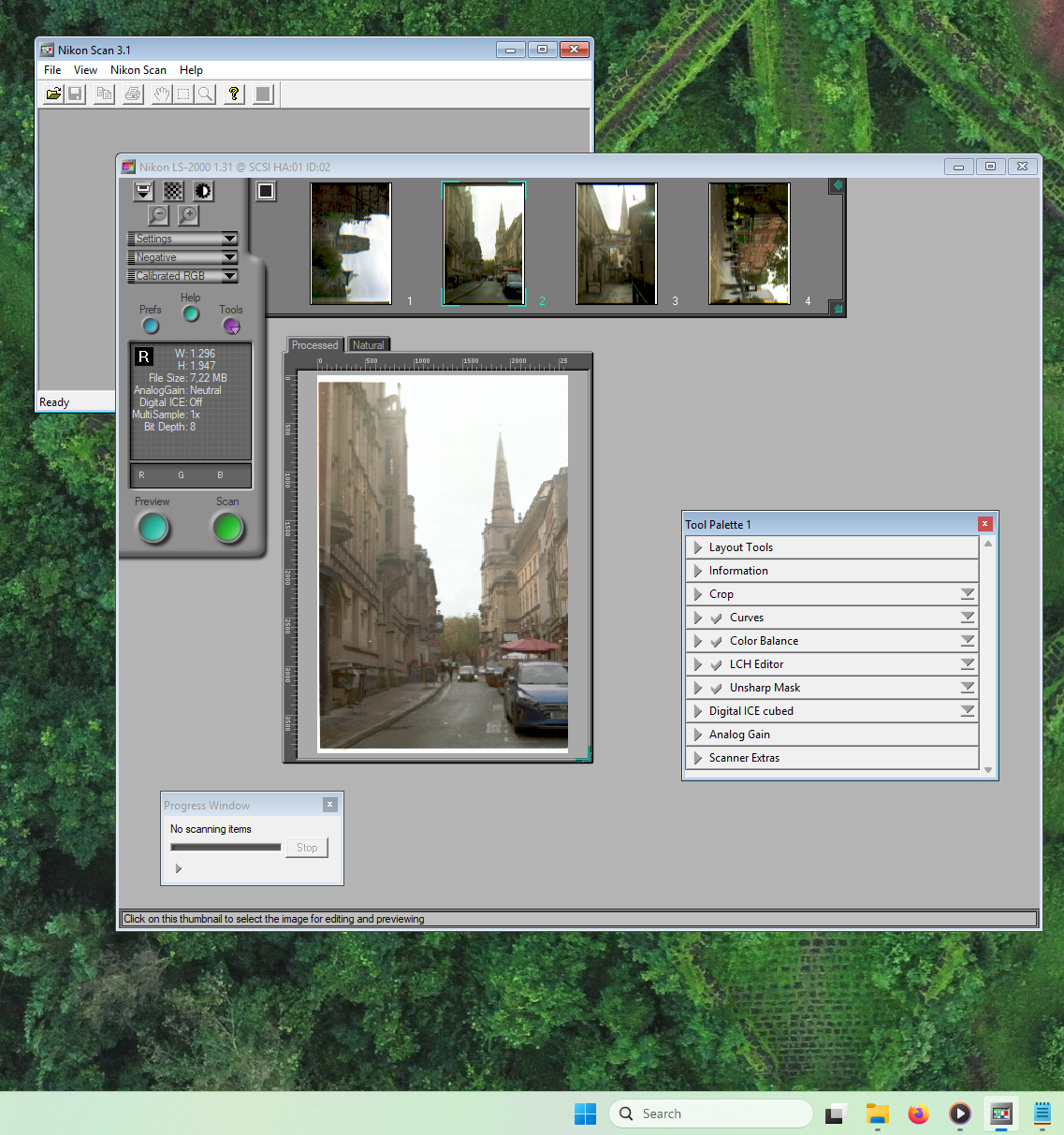
Downloading the 2.02 version from the comment and moving the WNASPI32.DLL file to the Windows\SysWOW64 folder, the scanner is now recognized by Nikon Scan and works fine!
For posterity's sake or if you don't trust random downloads from Russian domains, after wasting time
doing some research on Wayback Machine, here are links directly from RATOC's website:
- asp32w01.exe - WinASPI32 v0.9 (the self-extracting archive executable is 16 bit and won't run without 16 bit compatibility layer installed, check below for an already-extracted zip from me)
- asp32w02.exe - WinASPI32 v1.1 (with the same remark about the archive)
- asp32w03.exe - WinASPI32 v1.1 (still the same version, but the archive is now a 32 bits executable and Windows XP is mentioned in the README. Otherwise it's the same)
- asp32w04.exe - WinASPI32 v2.02
Here are mirror links to all the downloads on this page, in case the originals get taken down or disappear:
- LSIMPT_SCSI_WinVista_1-28-03.zip
- nscan312en.zip
- Ratoc_Wnaspi32_v.1.1.rar
- Ratoc_Wnaspi32_v.2.02.rar
- Ratoc_Wnaspi32_x64_v.3.01.rar
- asp32w01.exe
- asp32w01.zip
- asp32w02.exe
- asp32w02.zip
- asp32w03.exe
- asp32w04.exe
And here's a sample scan (click for raw file):